The buffer
According to the Bloor Group, over 60 per cent of data migrations overrun their budget. That is why, from the start, we build 15 to 30 per cent buffer into the plan.
 STRUCTON
IT systems · years of data. Moved safely.
When you change systems, years of customers, documents and history have to come along. We move them with method, not with courage.
What happens here
Every record crosses the bridge counted.
Test run, completeness check, rollback plan – nothing goes live without a verified count.
The red seal
We build what pays off.
After the first consultation a binding price applies. You can see the progress in your customer area at any time.
Undocumented fields and special logic that has grown over the years – that is where migrations fail. For a business, lost customer history is a matter of survival.
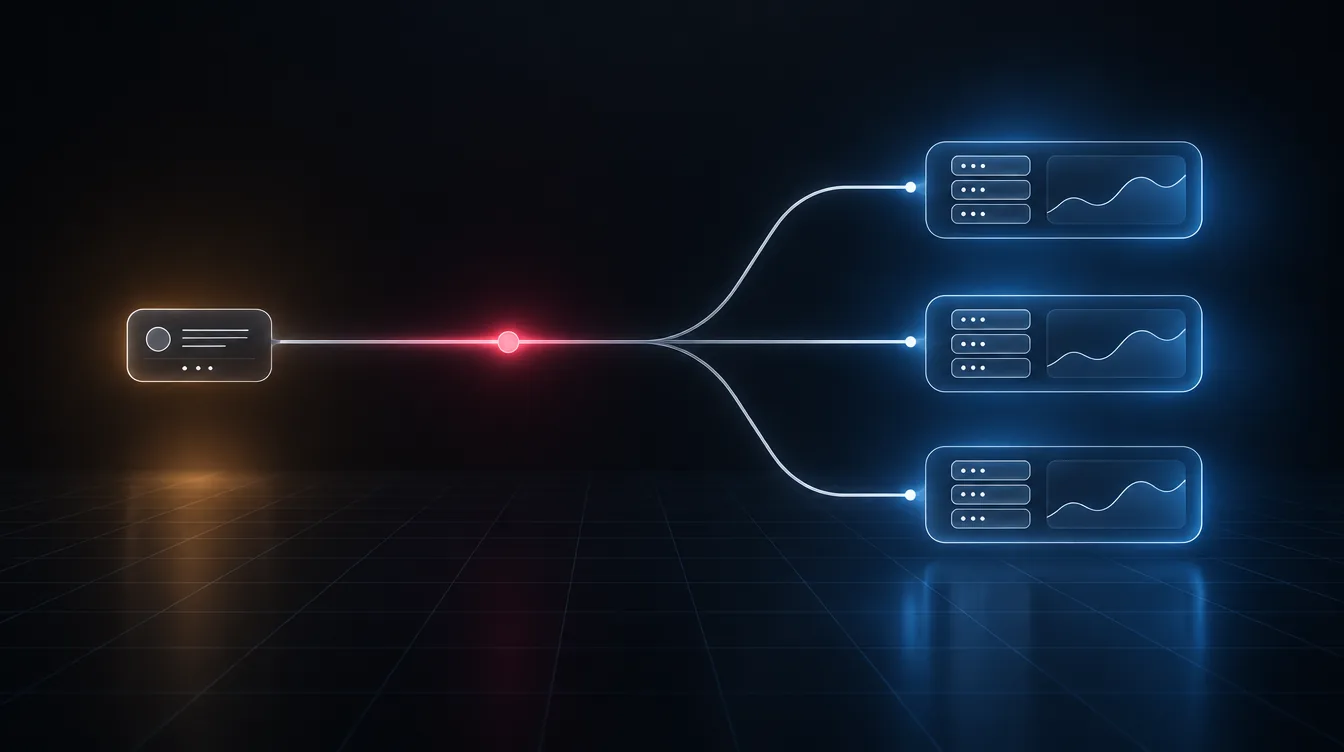
All records, history included.
Merge duplicates, smooth out formats.
Test migration, counted line by line.
Only once the count matches. With a rollback plan.
Sample values from a real project. We only go live when source and target show the same number.
For every field we define where it moves to – including special cases.
A complete trial run shows what is missing and what is duplicated.
Switch date in a quiet period, completeness check, rollback ready.
According to the Bloor Group, over 60 per cent of data migrations overrun their budget. That is why, from the start, we build 15 to 30 per cent buffer into the plan.
Master data moves over in full. Older Movement data can often stay in the archive – that saves a lot of effort.
Duplicates are merged, formats standardised. The new system starts with clean data.
As safe as method can make it: a test migration beforehand, a line-by-line completeness check, the switch only on a verified count, a rollback plan for emergencies. The legacy system is also kept frozen until the new one has proved itself.
The migration is the best moment to tidy up: duplicates are merged by clear rules, outdated records marked instead of blindly copied. You help decide what applies – we document every rule.
Yes. Analysis and test migration happen alongside daily business; only the switch-over itself we place in a quiet window – usually a weekend. On Monday your team works in the new system.
Two to eight weeks depending on scope. From you we need access to the legacy system, a person for questions about special cases – and decisions on the cleansing rules. The rest we handle.
Yes – that is what the rollback plan is for: the legacy system stays untouched until the new one runs verified. In an emergency we switch back, fix the cause and repeat the switch-over.
Both, by arrangement. Master data always in full; for history we settle what has to go into the new system and what suffices as a readable archive – that saves effort without losing anything.
Free consultation at a fixed appointment – or a non-binding price range first.
Free consultation Request a quote Foto: Matheus Bertelli / Pexels
IT systems
CRM für den Mittelstand: Standard einführen oder selbst bauen?
Standard-CRM oder eigene Lösung? Wir rechnen die Kosten über fünf Jahre durch und zeigen, welche Rolle Datenstandort und Ihre Abläufe dabei spielen.
5 Min. · Weiterlesen →
Foto: Matheus Bertelli / Pexels
IT systems
CRM für den Mittelstand: Standard einführen oder selbst bauen?
Standard-CRM oder eigene Lösung? Wir rechnen die Kosten über fünf Jahre durch und zeigen, welche Rolle Datenstandort und Ihre Abläufe dabei spielen.
5 Min. · Weiterlesen →
 Foto: Jack Sparrow / Pexels
IT systems
Datenmigration ohne Datenverlust: in vier Stationen ins neue System
Der Systemwechsel steht, die Sorge bleibt: Geht dabei etwas verloren? Vier Stationen, ein Probelauf und ein Rückweg machen die Antwort überprüfbar.
5 Min. · Weiterlesen →
Foto: Jack Sparrow / Pexels
IT systems
Datenmigration ohne Datenverlust: in vier Stationen ins neue System
Der Systemwechsel steht, die Sorge bleibt: Geht dabei etwas verloren? Vier Stationen, ein Probelauf und ein Rückweg machen die Antwort überprüfbar.
5 Min. · Weiterlesen →
 Foto: panumas nikhomkhai / Pexels
Costs
Website-Wartung: Was der laufende Betrieb wirklich kostet
Nach dem Livegang fängt die Arbeit an einer Website erst an. Welche Posten im laufenden Betrieb anfallen und wie Sie sie verlässlich einplanen können.
5 Min. · Weiterlesen →
Case Study · HANSEKREDIT
First a name, today a head start.
Von der Marke bis zur eigenen Suite mit KI – Branding, Website, Ads und Automatisierung aus einer Hand.
Case Study ansehen →
Foto: panumas nikhomkhai / Pexels
Costs
Website-Wartung: Was der laufende Betrieb wirklich kostet
Nach dem Livegang fängt die Arbeit an einer Website erst an. Welche Posten im laufenden Betrieb anfallen und wie Sie sie verlässlich einplanen können.
5 Min. · Weiterlesen →
Case Study · HANSEKREDIT
First a name, today a head start.
Von der Marke bis zur eigenen Suite mit KI – Branding, Website, Ads und Automatisierung aus einer Hand.
Case Study ansehen →